(upbeat music) - Hi, my name is John, and today what we're going to look at is how we can do diary entries through the HCSS Field system HeavyJob. What you're looking at are my diary, my photos and my time card. I'm going to click on my diary and the first thing it's going to ask me about are my working conditions. So I can go and I can type out whatever it is.
I can say some specific working conditions. I can talk to text, but if I have like a tablet plan or I have wifi on the job site I can just hit this used location button and it's going to pull in all of the information geo tagged to the location of this iPad. So on the left hand side, I have my tags and these tags are completely customizable and I can run reports against them. So if I have a material delay, or I have an equipment breakdown, you know something that's gonna affect my production I can put in customizable tags and then I can run different reports against those things.
So that if I need to identify how many times I've had a subcontractor issue on the job site I can very easily and quickly do that. Think about the job tags the same way you would if you had a metal file cabinet at your office and inside that metal file cabinet you had a bunch of manila files and you had to go and you had to start looking through all of those manila file folders in order to find out all of this information. That would be a lot of paper cuts. With this, it's instant.
So on the left hand side, I've got my material delays. I can add additional notes to this. I can say something like, "Johnson Concrete showed up three hours late. "At $1,500 a crew hour, that's a lot of money."
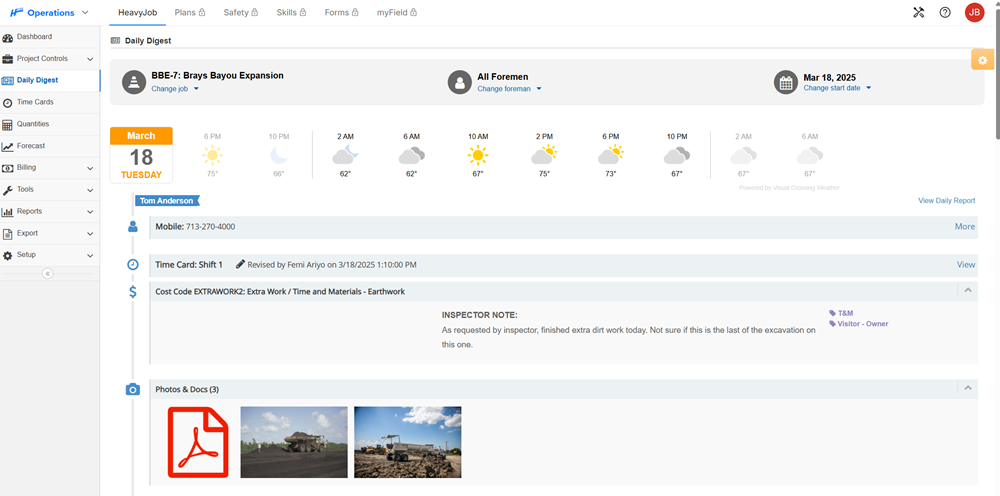
So I can put that in. And then on the right hand side, I have just general notes. When you look at it from a manager perspective you're gonna look at the notes and we call it actually a daily digest. So you would read it the same way you would a newspaper.
So I've got my notes. Again, I can just talk to text. So if I happen to have a very long-winded foreman then I'm gonna start getting some long-winded notes. No character limits.
But you can see it's extremely easy and we can do this super fast. We have about 140,000 time cards that get entered through the HCSS Field system on a daily basis and the average user spends between about seven and nine minutes in the app. Intuitive, easy features like this make that the reason why. Now I'm going to send this off.
I'm going to go back into my time card and you can see that my diary has now been submitted. To summarize, what you've seen today is how your foreman can quickly and easily capture information and enter it through the HCSS Field Diary screen. That's going to help your management staff see exactly what's going on at the field level without having to go and watch the job. If you have any questions about this feature or how our software can help you take better control of your workflow, call, chat or request a custom demo on our website.
Thanks for watching. (upbeat music)